Skip to content

Sales & Finance

Through Novasis, you can manage your product sales processes, control your e-commerce connections, and view your monthly financial status at a glance.

Quote Preparation and Management

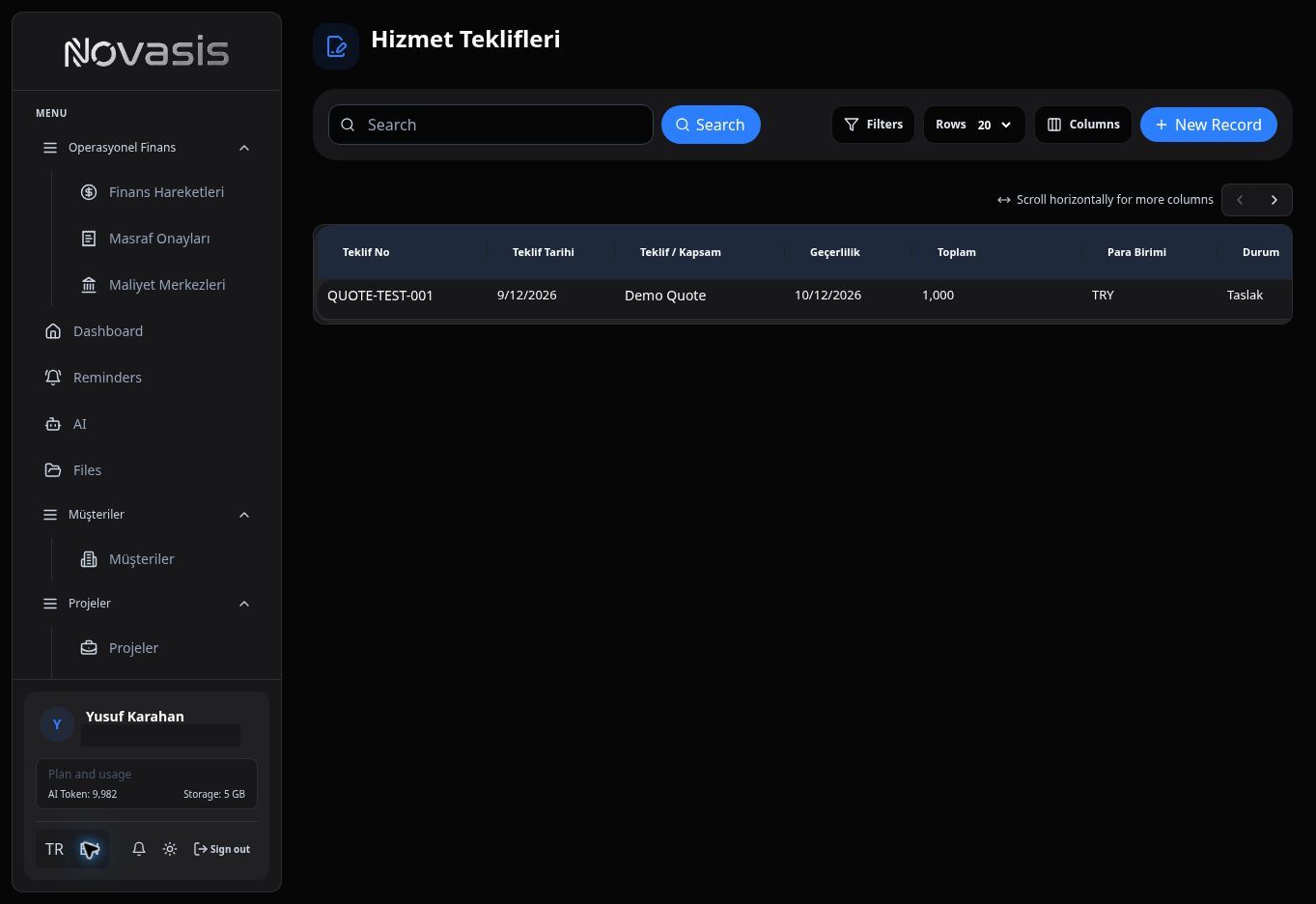
You can track all the quotes you present to your customers in detail from the "Quotes" page and create new ones:

  • Quote Statistics: In the top right section of the page, you can see the Total Quotes, Sent, Approved counts, and Total Volume amount.
  • List View: All your quotes are listed with columns for Quote No, Company, Deal, Status (Draft, Sent, Expired, etc.), Total Amount, and Validity date.

Quotes List

Creating a New Quote

  1. Navigate to the QUOTES > Quotes tab from the left menu.
  2. Click the + New Quote button in the top right.
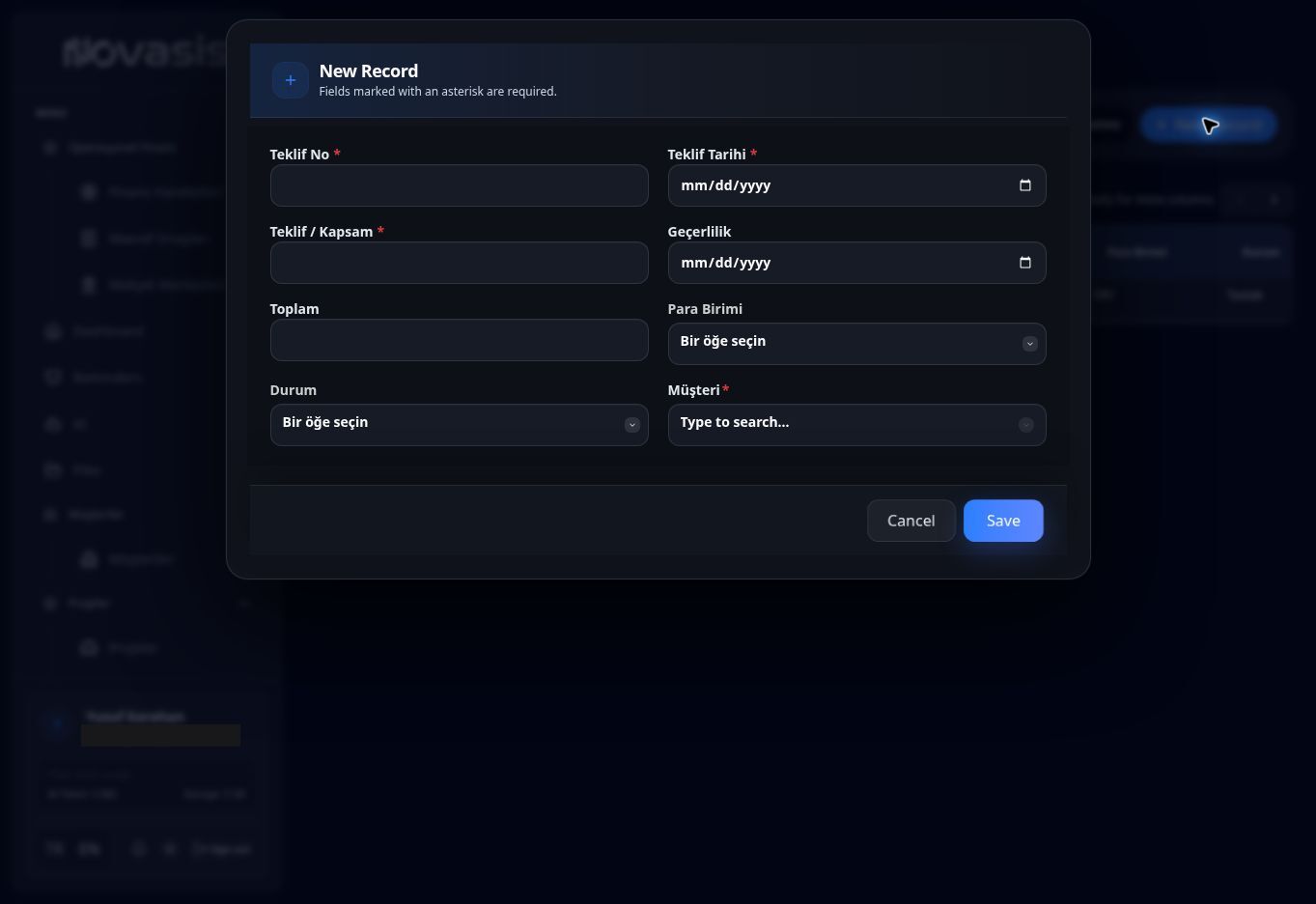
  3. In the form that opens, you can see the system-assigned Quote No, and select the Company and Deal to link the quote to.
  4. Then, fill in the Status, Quote Date, Validity Date, Subtotal, Tax Total, Grand Total, and Notes fields, and press the Create button to save your quote.

New Quote Form

Orders and Shipments

Note: To view this page, the Commerce module must be active in your organization, and your account must have "Orders" view permission. Otherwise, you will not be able to access the page.

Approved quotes or requests falling from your e-commerce site (B2B/B2C) are gathered in the Orders tab. You can keep your team informed by updating the order status ("Preparing", "Shipped", "Delivered").

Financial Transactions and Monthly Summary

Note: The Finance module is restricted to administrators or accounts with specific finance permissions. If you do not have permission, you will not see these options in the left menu.

The Finance module provides a bird's-eye view of your company's cash flow.

  • Income/Expense Tracking: Record your collections and payments for that month.
  • Monthly Summary: Analyze how much profit was made in which month through charts.
  • Integrations: If you have connected an accounting software like Paraşüt, Mikro, Dia, or Uyumsoft, invoice and current account movements flow automatically into Novasis. (See the Integrations page for details.)

Financial Transactions Screen