Skip to content

Telegram Integration

Connect your Telegram account to Novasis to receive real-time notifications, assign tasks, and chat with the AI Assistant using text or voice messages.

How to Connect Your Telegram Account

Follow these steps to link your Novasis account with Telegram:

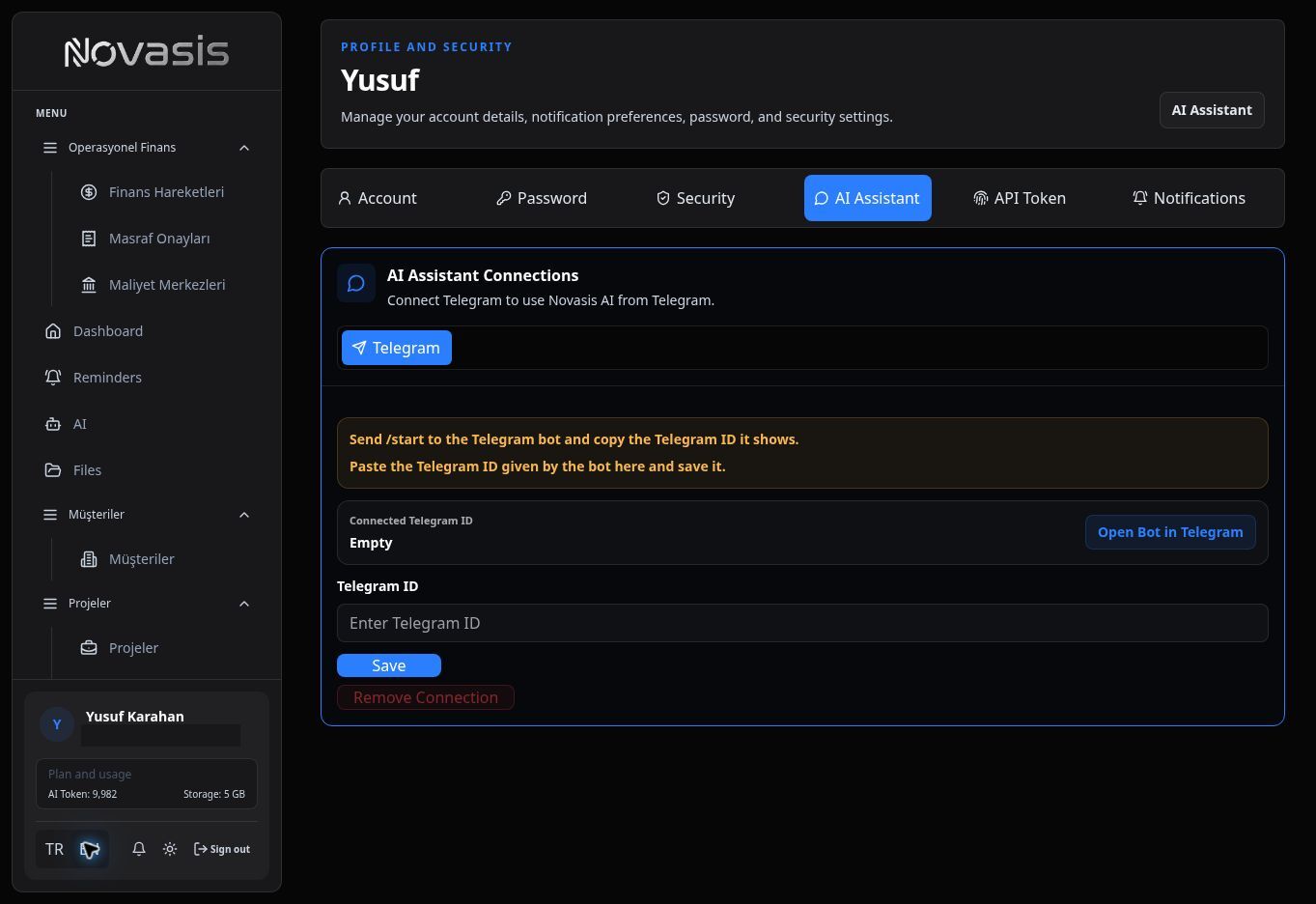
  1. Go to Your Profile: Log in to Novasis and navigate to your Profile from the bottom left menu.
  2. Open the Bot: Click the Open Bot button in the Telegram Integration area. This will redirect you to the Novasis Telegram Bot.
  3. Get Your Telegram ID: In Telegram, send the /start command to the bot. Once the bot is active, send any message (like "hello") to the bot. The bot will reply with your unique numeric Telegram ID.
  4. Save the ID in Novasis: Copy the ID, return to your Novasis Profile page, paste it into the Telegram ID field, and click Save.

Your account is now successfully connected!

Video Guide

Watch the video below for a step-by-step walkthrough on how to connect your Telegram account:


What Can You Do With Telegram?

Once connected, your Telegram becomes a powerful extension of your Novasis workspace.

Real-Time Notifications

You will instantly receive Telegram messages for:

  • New tasks assigned to you.
  • Upcoming deadlines for your projects.
  • System and billing alerts.

Chat with the AI Assistant

You can talk to the Novasis AI directly from your Telegram app just as you would inside the dashboard.

  • CRM & Finance: "Show me this month's revenue" or "Create a $500 quote for John Doe."
  • Task Management: "What are my open tasks for the Website redesign project?"

Voice Commands

Typing is optional! You can send Voice Messages to the bot. The system will automatically transcribe your audio, understand your intent, and execute the commands directly in Novasis.