Workspace Setup
Novasis uses your business and needs to prepare a useful starting workspace. Setup has three steps: Business → Needs → Review.
1. Choose Your Business
Select the option that is closest to your business and the way you work. This helps Novasis recommend a suitable starting structure.
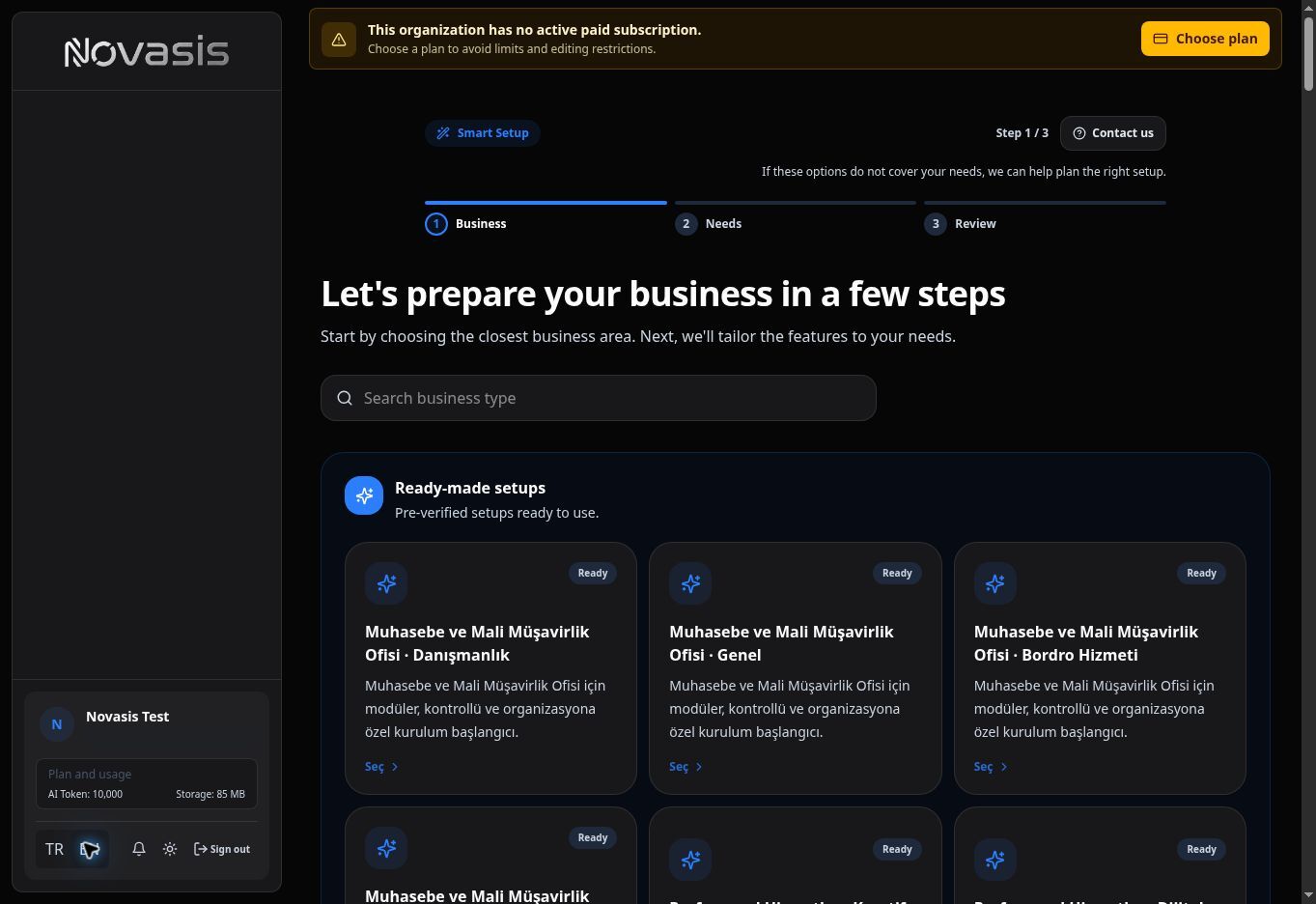
Tip: You only need to choose the closest option. You can change and extend the workspace after setup.
2. Select Your Needs
Choose the areas you want to use. For example, you can include needs such as finance or time tracking.
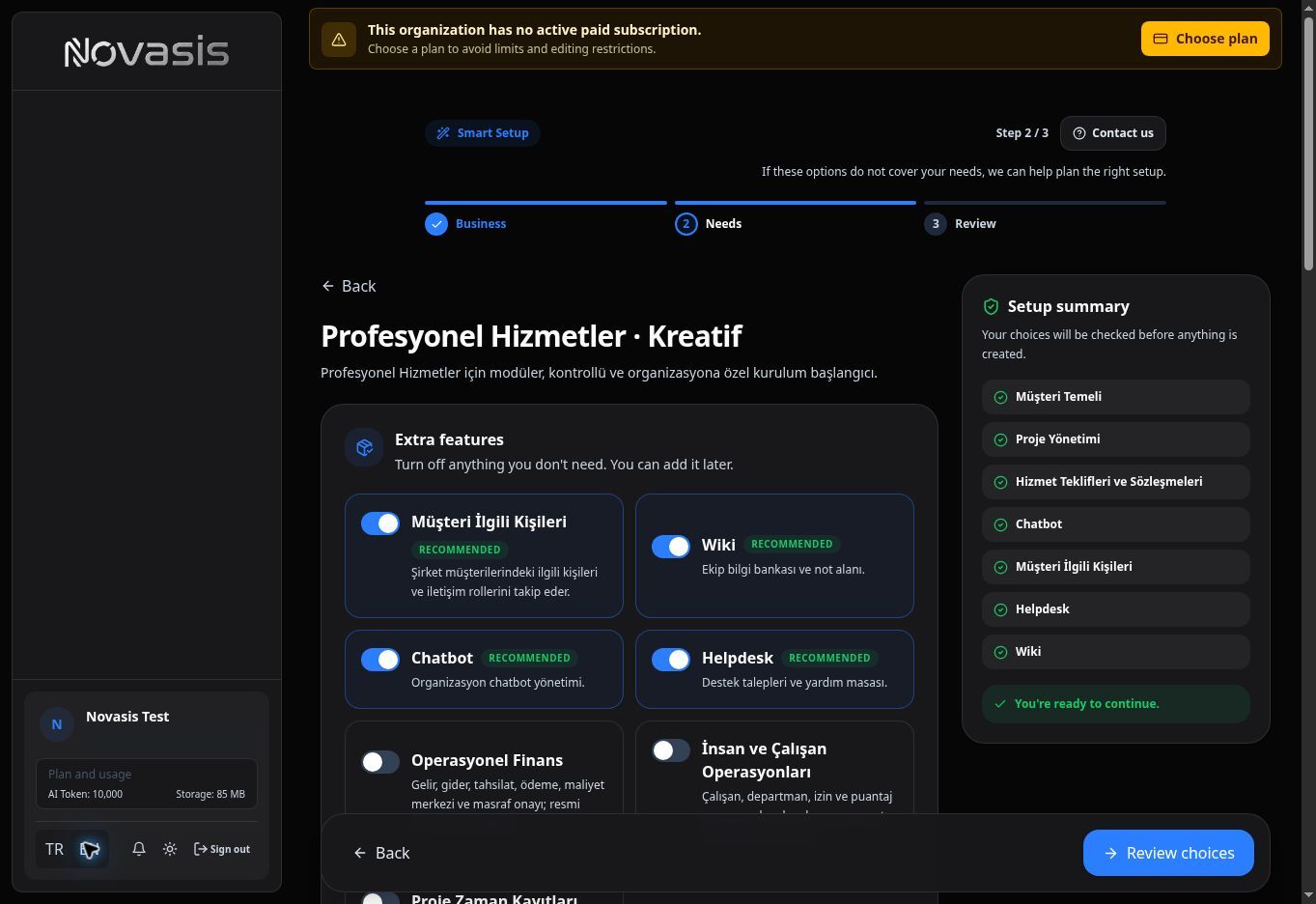
Because every organization works differently, the areas visible in Novasis can also differ between organizations.
3. Review and Finish Setup
Use the Review step to check your choices before setup is completed.
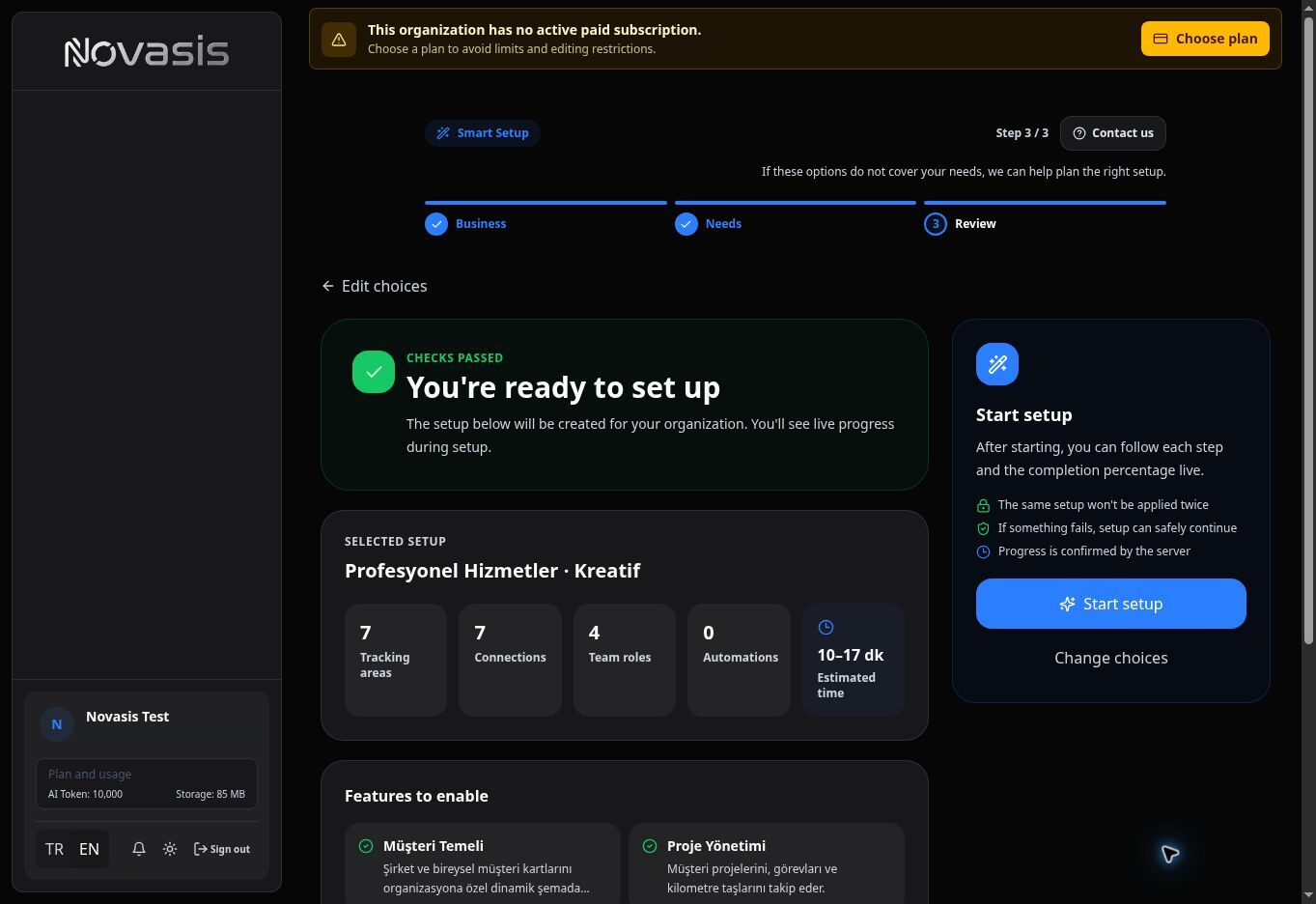
When setup is complete, Novasis prepares the workspace based on what you selected.
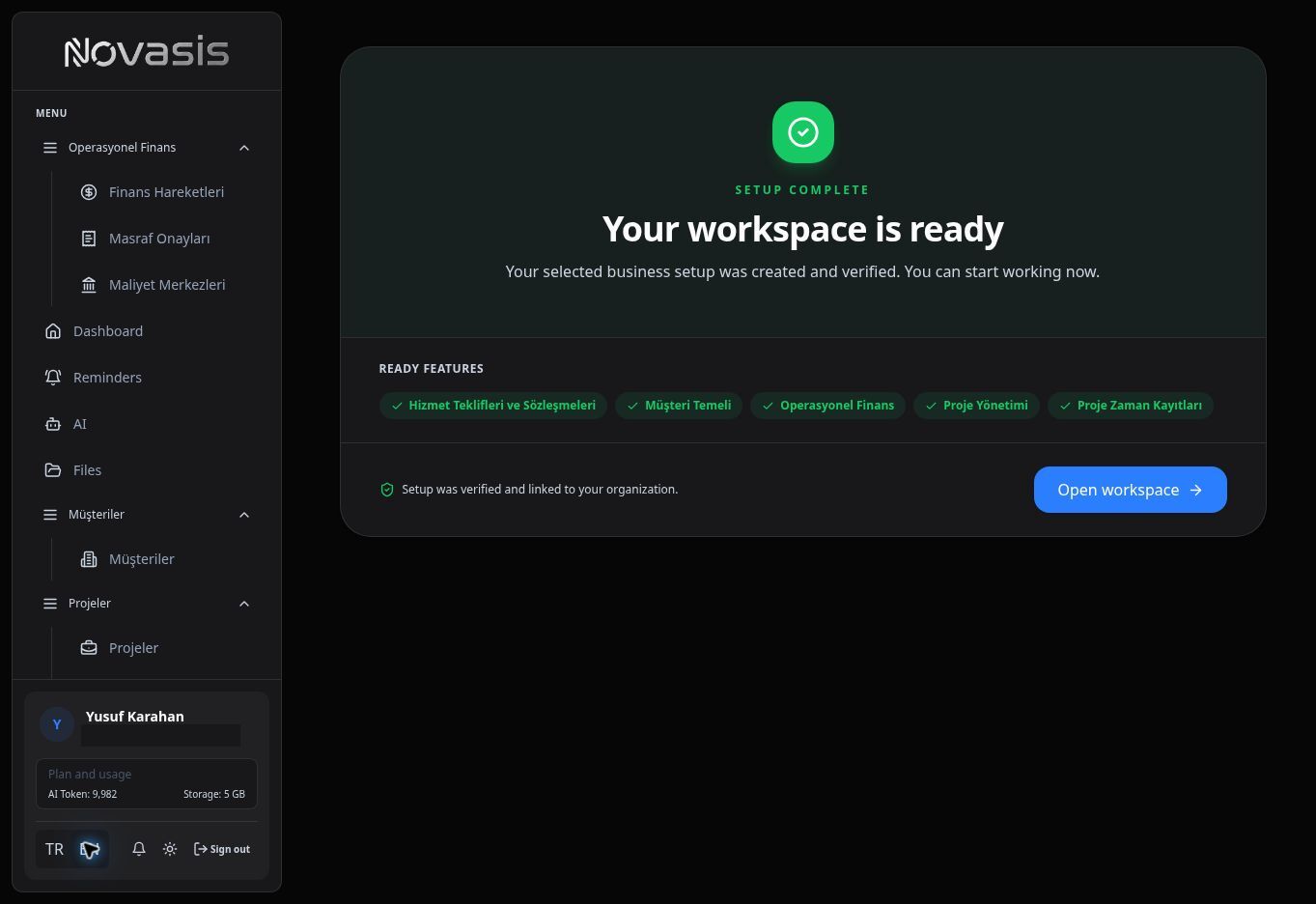
After setup:
- Use Menu Layout to organize the left navigation.
- Use Custom Modules to create business-specific tracking areas or extend existing ones.
Note: The areas visible to you can also depend on your account permissions.