Menu Layout
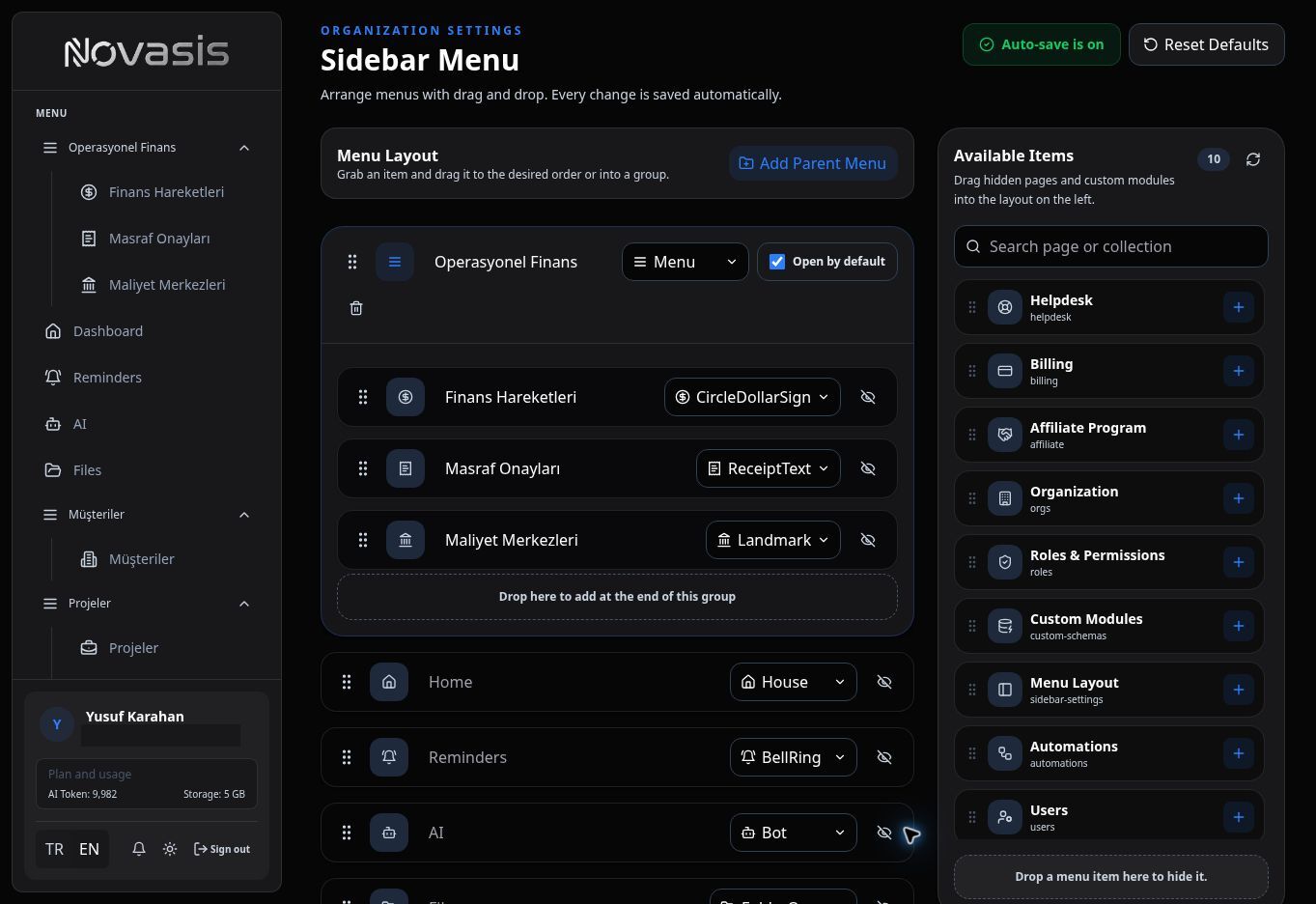
Use Menu Layout to choose which areas appear in the left navigation and the order in which they are shown. Group related areas to make the menu easier for your team to use.
What Can You Change?
You can:
- Reorder menu items,
- Group related areas,
- Add or remove items from navigation,
- Change display details such as labels, icons, or colors.
Built-in Novasis areas and modules created for your organization can be organized in the same menu.
Hiding an Item Does Not Delete Its Data
Removing an item from the menu only changes navigation; it does not delete the module or its records. Manage who can access an area separately through Roles & Permissions.
You can also reset the menu to its default layout when needed.