AI Assistant
Use the AI Assistant by typing or speaking what you want to do in Novasis. You can find information, create or update records, and handle several connected steps without moving through menus one by one.
Ask Questions and Analyze Information
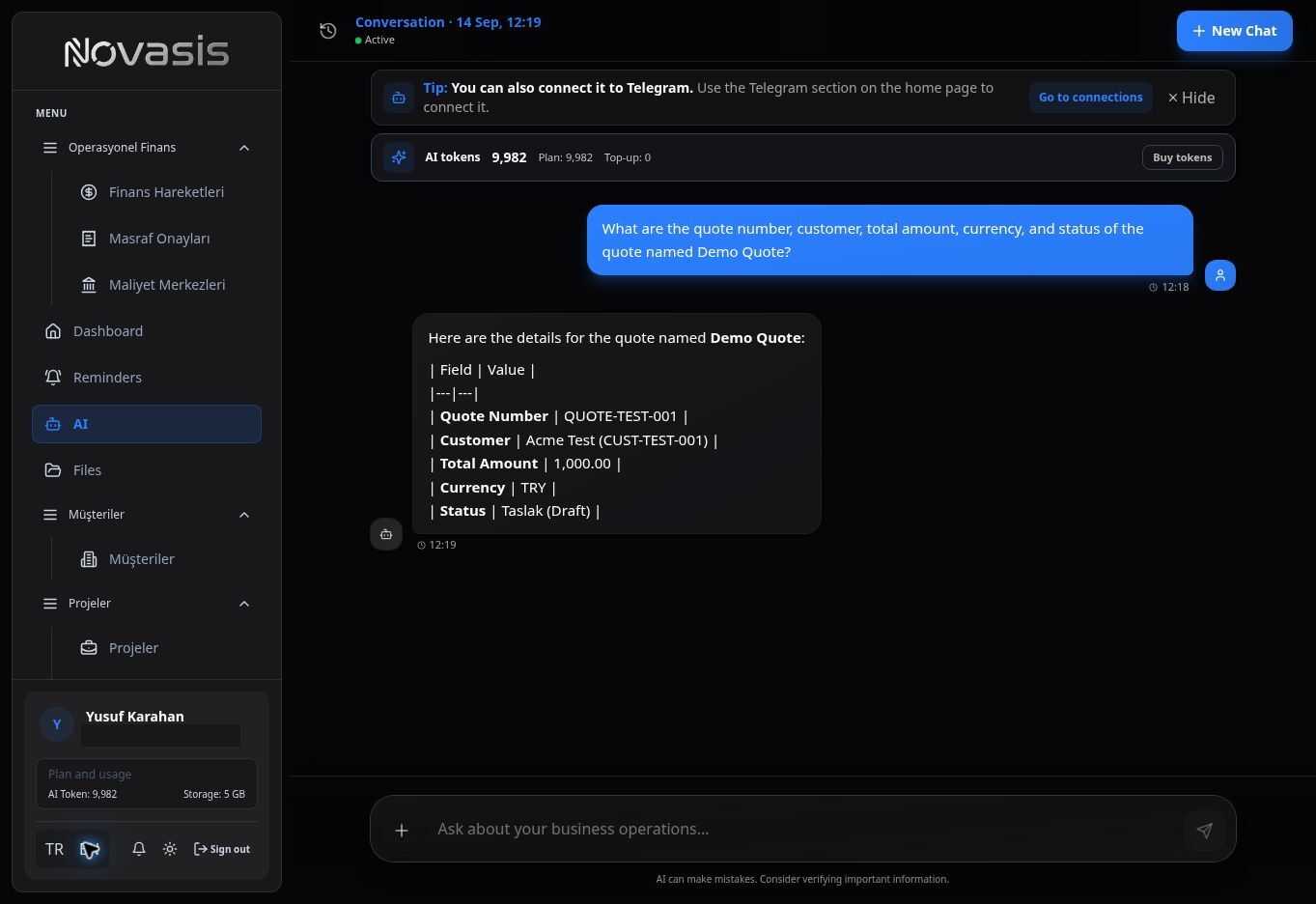
Ask the assistant to find, summarize, or analyze information already stored in Novasis.
For example:
- "Show the customer, amount, and status of Demo Quote."
- "Summarize this month's income and expense activity."
- "Tell me the status of Demo Project and its related customer."
Create, Update, and Delete Records
Describe what you want in everyday language.
For example:
- "Create a new project for Acme and assign the responsible person."
- "Create a customer follow-up reminder for tomorrow at 10:00 AM."
- "Mark Demo Task as completed."
- "Delete the record I created by mistake."
When the action is complete, the assistant shows the result in the conversation.
Handle Several Steps in One Request
You can combine related actions in one instruction.
For example:
"Create the Acme customer, open a new project linked to that customer, and add a follow-up reminder for tomorrow."
The assistant works through the steps in order and reports the result.
Voice Commands
Use the microphone icon to speak your instruction. Your voice is converted to text and handled like a typed request.
Custom Modules
The AI Assistant does not create or change the structure and fields under Custom Modules. Manage those settings from the relevant administration screens.
Tip: Describe what you want in clear, everyday language. One instruction can include several related actions.