Users
Use Users to see who can access your organization and invite new people.
User List
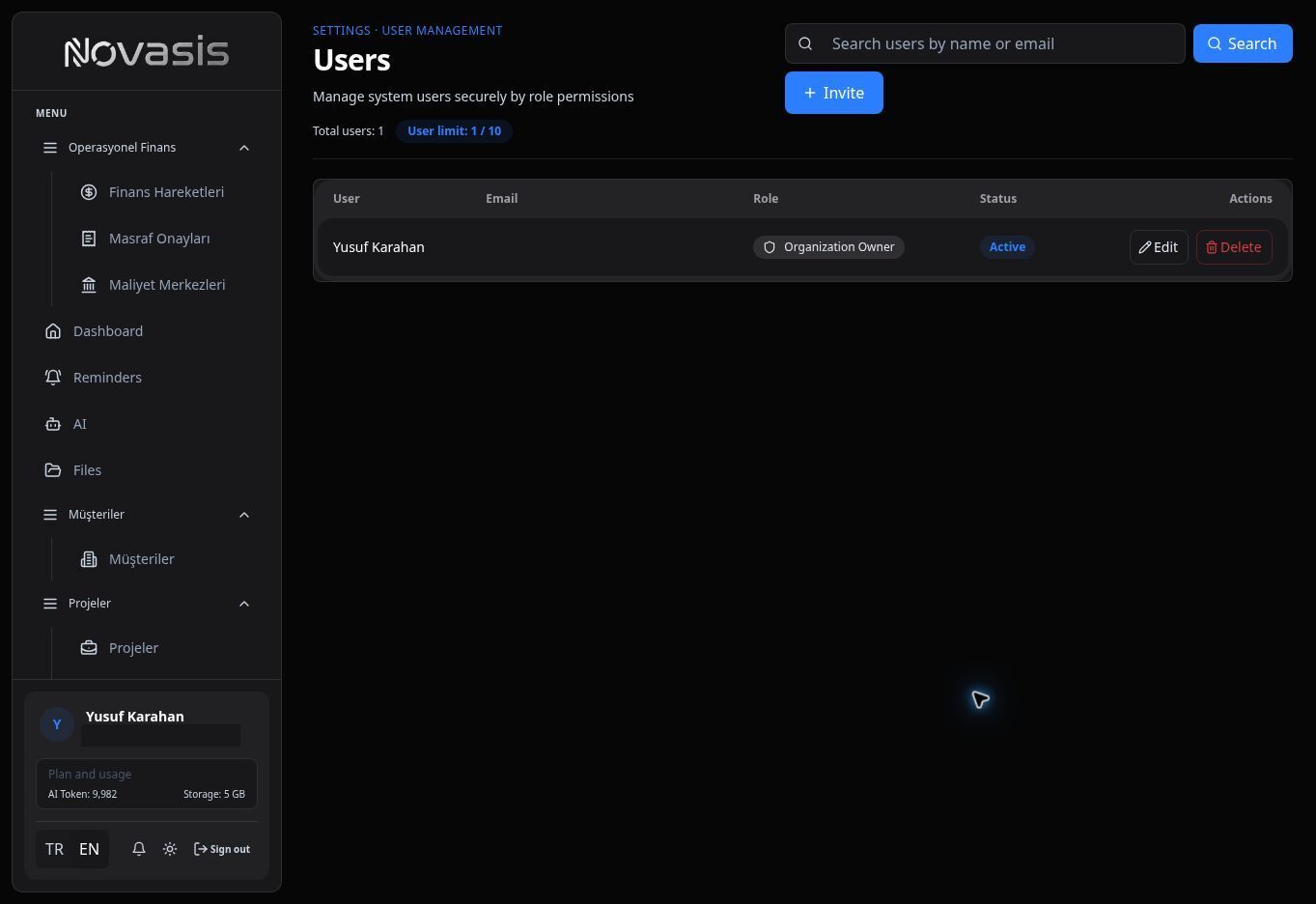
The list shows each user's name, email address, role, and status. Use search to find a user quickly.
User Limit
The Users screen shows your current number of users together with the total User Limit for the account.
Important: Before inviting another user, check that your account has an available user slot.
Invite a User
When adding a user, enter their first name, last name, email address, and role. Users invited from this screen are created as Active; the status cannot be changed here.
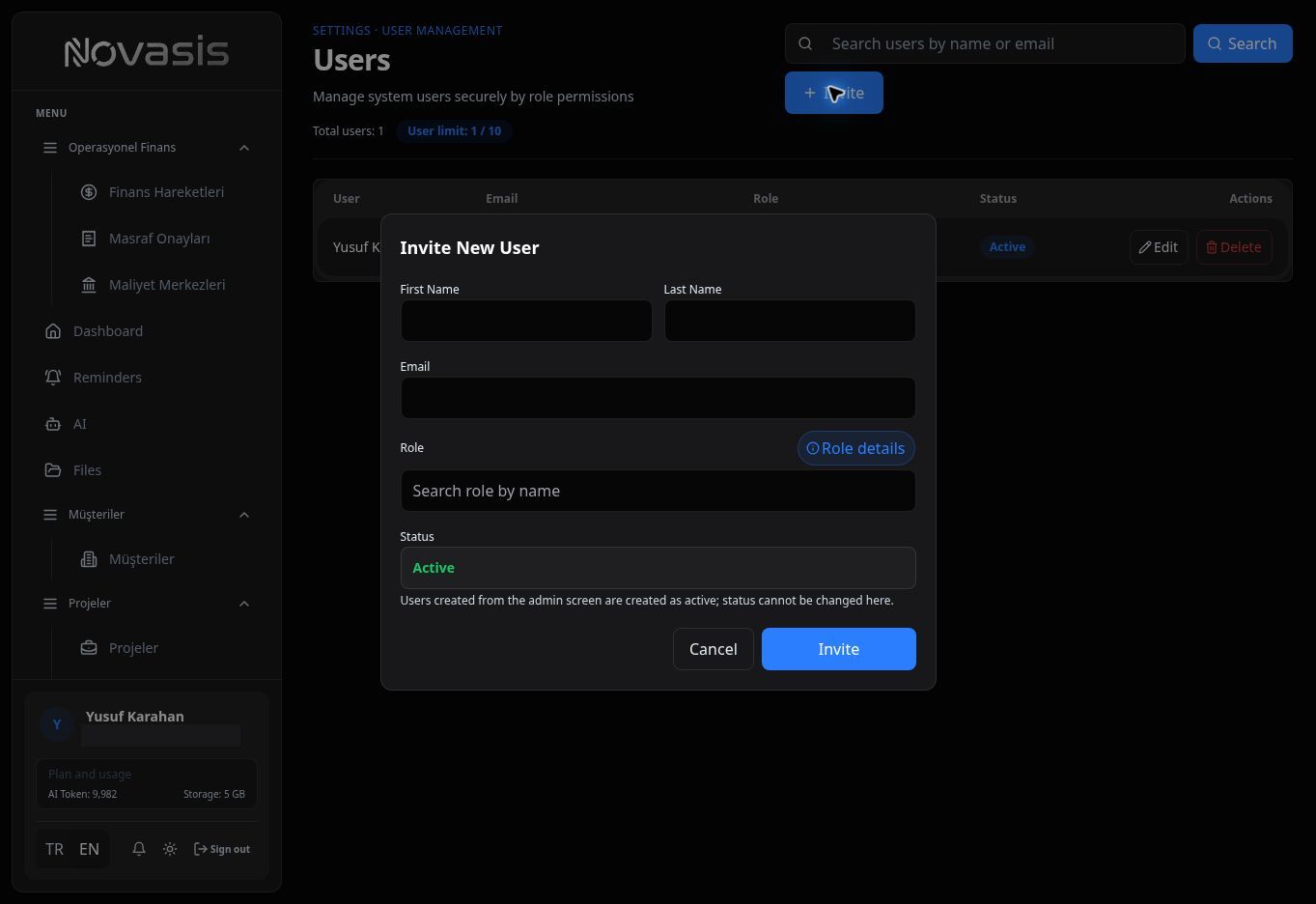
The selected role determines which parts of Novasis the user can access and what they can do. See Roles & Permissions for more detail.