Organization & Settings
From the Settings menu, which is the heart of your organization, you can manage your company's users, roles, and billing details.
Teams and Role Authorizations
You can invite as many team members to the system as you like.
- Teams: By grouping your employees into units like "Sales Team", "Support Team", or "Management", you can grant bulk permissions to projects and files.
- Roles: You can configure detailed role settings, deciding whether a user can only "View", "Edit", or "Delete" CRM records.
WARNING
Only users with the Billing Manager (Admin) role can access the billing and subscription management screens.
Subscription and Billing
You can easily manage your plan and invoices on Novasis from the Membership and Payment tab.
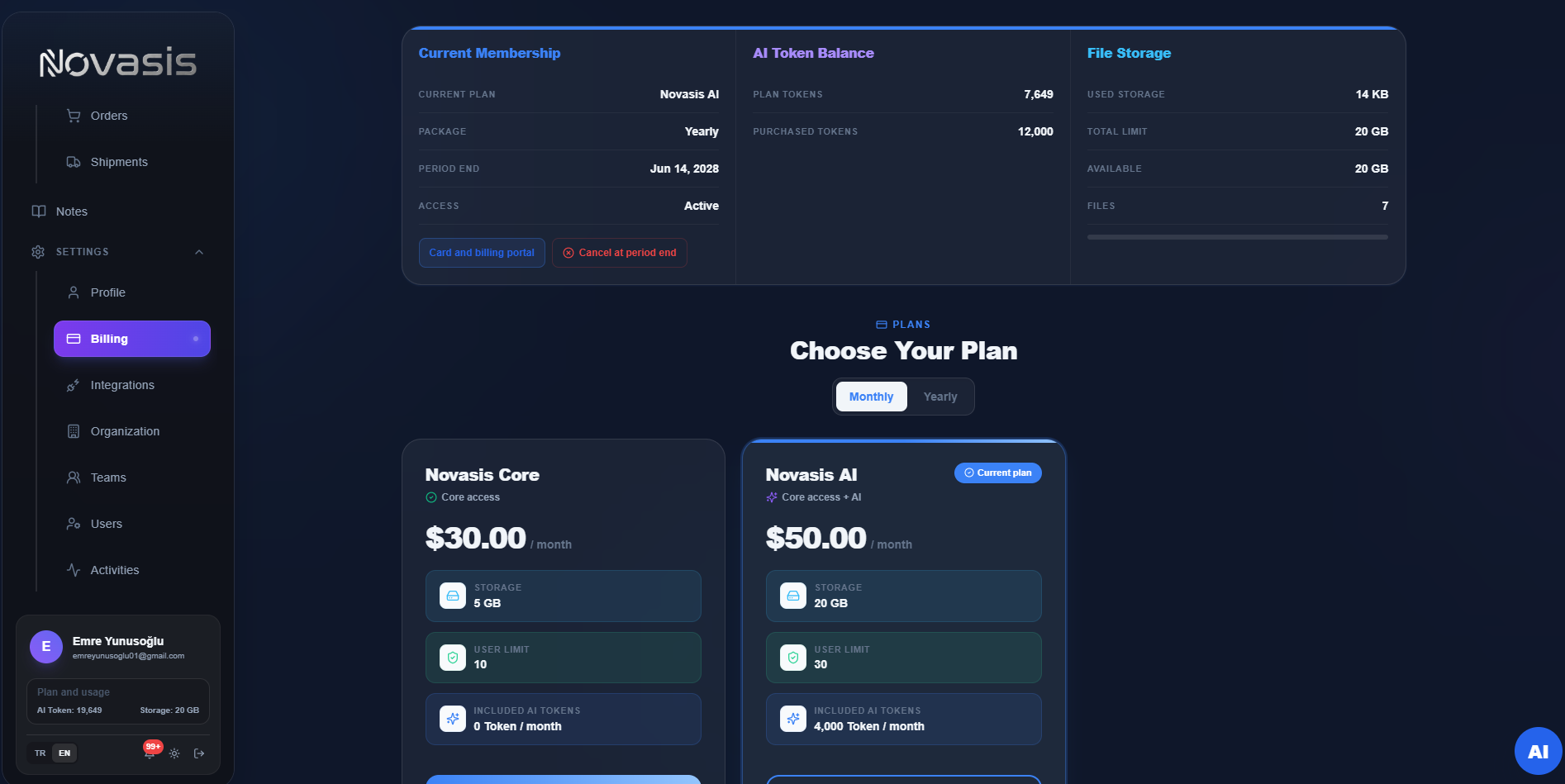
- Subscription Upgrade/Downgrade: You can instantly change your current plan according to your needs. The system is secured with Dodo Payments infrastructure.
- AI Credit (Token) Balance: You can view the number of tokens consumed by your AI bots and purchase a "Top-up" if necessary. Free credits included in your plan are refreshed every month.
- Usage Limits: You can track your file storage space and active User Limit from this screen.
Scheduled Tasks (Reminders)
You can create Scheduled Tasks to automate specific actions within the system or to remember important events.
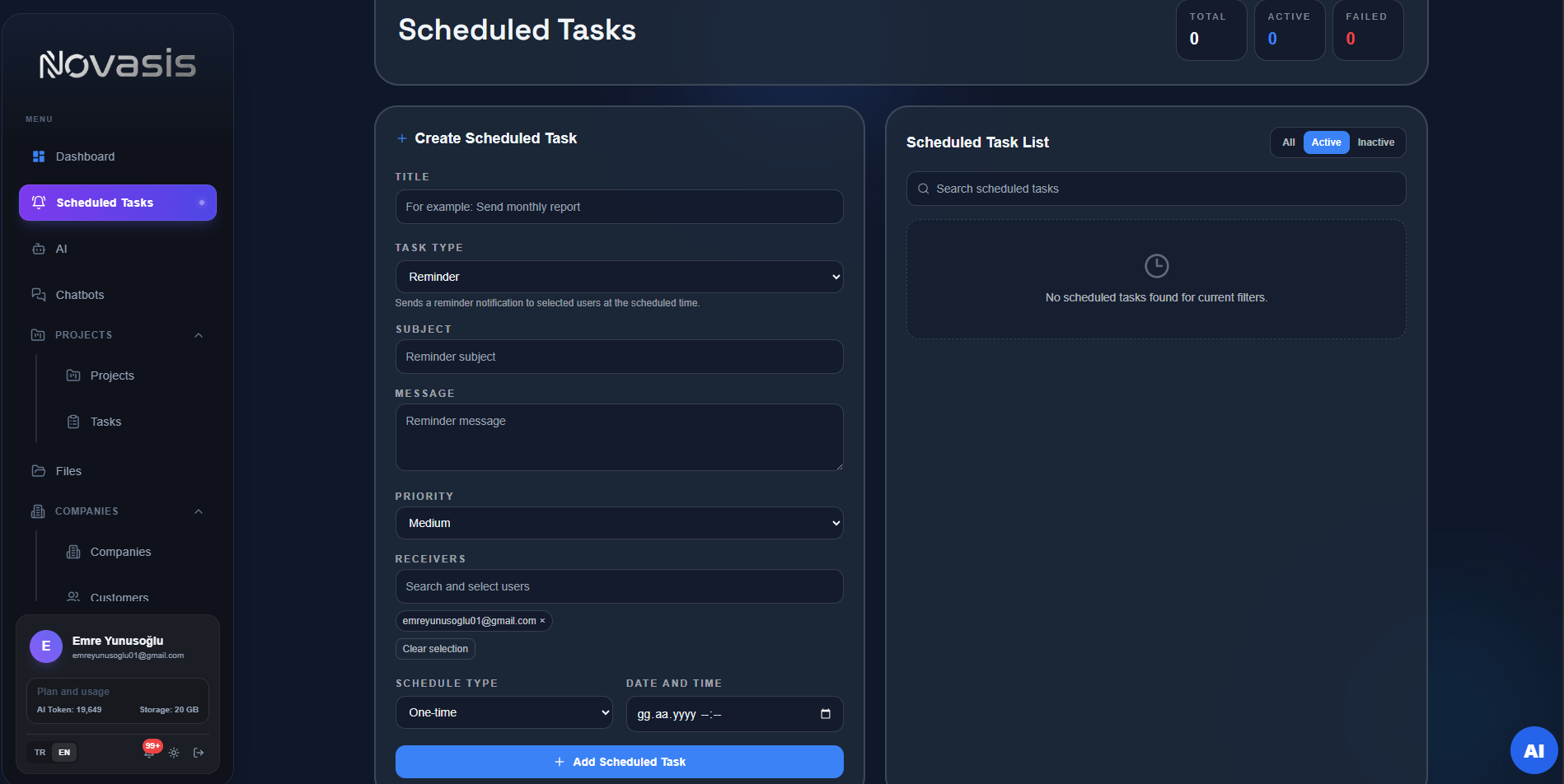
- Reminder Feature: By selecting yourself or team members (Recipients), you can send reminders with a specific subject and message.
- Schedule Type: You can determine whether the tasks will be "One-Time" or on a recurring basis. When the time comes, reminders drop as both in-app notifications and, if linked, as messages to your Telegram address.
- Priority: You can set the priority of the notification to be sent (Low, Medium, High, etc.) to appropriately direct the recipients' attention.